
Google Data Studio connector 
Connect Simple Analytics to Google Data Studio to create custom reports from your website’s pageview and event data.
What you need
Before connecting, make sure you have:
- A Simple Analytics account.
- An active trial or a plan that includes API access. See our pricing page.
- A website in Simple Analytics that you can access.
- A Simple Analytics API key. Create or copy one under API access in your account.
API keys belong to individual users. If a user loses access to a website, that user’s key can no longer retrieve data for it.
Connect your data
- Open the Google Data Studio connector gallery.
- Search for Simple Analytics and select the connector.
- Authorize the connector when Google asks for permission to connect to an external service.
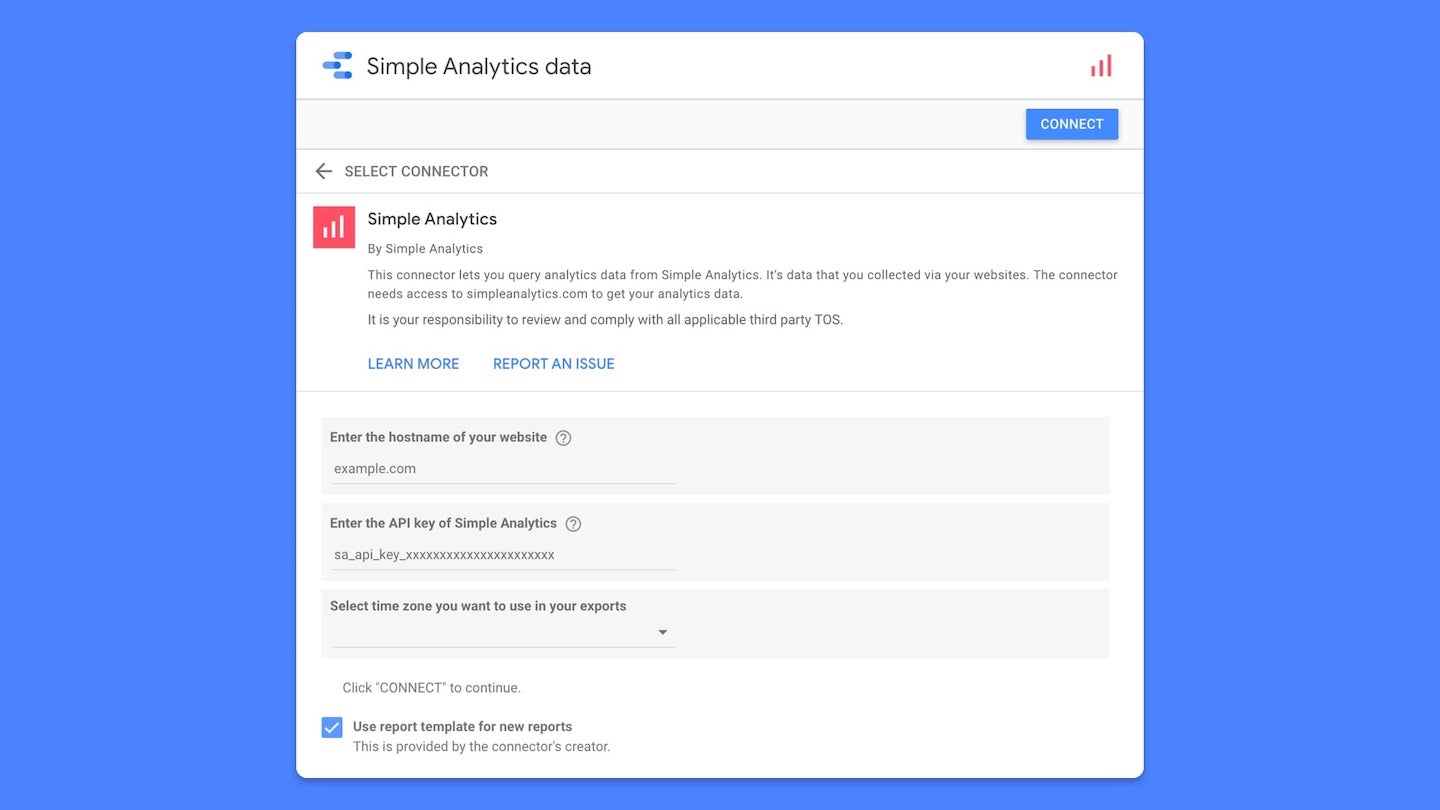
- Enter your Simple Analytics API key when prompted.
- Enter your website hostname without a protocol or path. Use
example.com, nothttps://example.com/about. - Choose the Pageviews or Events dataset.
- Choose the timezone used to group your data by hour, day, week, month, or year.
- Click Connect, review the fields, and create your report.
The external-service permission allows the connector to request your analytics
data from simpleanalytics.com. It does not provide access to other Google
products or data in your Google account.
Available data
Pageviews
The Pageviews dataset includes:
- Date by hour, day, week, month, or year.
- Path and referrer hostname.
- Country, device, browser, and operating system.
- UTM source, medium, and campaign.
- Pageviews and unique visitors.
- Average visit duration and scroll depth.
Events
The Events dataset includes:
- Date by hour, day, week, month, or year.
- Event name.
- Events and unique visitors.
Google Data Studio sends the selected date range with every query. A date range is therefore required for charts using this connector.
Metadata fields
The connector discovers recent metadata keys for the selected dataset and adds
them as dimensions named Meta: ....
- Metadata discovery looks back up to 365 days.
- The connector returns up to 100 safe text metadata dimensions.
- URL-parameter metadata is excluded.
- Metadata supports exact, list, and not-equal filters. Contains filters are not supported.
Google Data Studio caches the fields in a data source. Refresh the data-source fields when newly collected metadata should appear in an existing report.
Connector limits
Each chart can request:
- Up to ten metrics.
- Up to five dimensions.
- At most one date dimension.
- One sort field.
Every chart must include at least one metric.
Filtering support depends on the field:
- Path, referrer hostname, and UTM fields support equals, list, contains, and not-equal filters.
- Country, device, browser, and operating system support equals, list, and not-equal filters.
- Event name and metadata fields support equals, list, and not-equal filters.
Data access and security
The connector sends the following information to Simple Analytics over HTTPS:
- Your API key.
- The website hostname.
- The selected dataset, date range, and timezone.
- Requested fields, filters, sorting, and row limit.
Simple Analytics returns only the requested aggregated analytics data to Google Data Studio.
Your API key is stored for your Google user with Apps Script user properties. It is not stored as a regular data-source configuration field. You can revoke it at any time under API access in your account.
Use of this connector is subject to the Simple Analytics General Terms and Conditions and Privacy Policy.
Troubleshooting
The API key is rejected
Check that the key starts with sa_api_key_ and still appears under API access
in your Simple Analytics account. If needed, create a new key and reconnect the
data source.
You do not have access to the website
Check the hostname and confirm that the Simple Analytics user who created the API key has access to that website.
The totals are different
Use the same date range and timezone in Simple Analytics and Google Data Studio. Different timezones can move traffic into another hour or day.
New metadata is missing
Refresh the fields in the Google Data Studio data source. Only safe text metadata seen during the last 365 days can be discovered.
For more help, contact Simple Analytics support.
The connector source code is available on GitHub.