
Email reports
Want to start your Monday morning by checking how your website is doing? Want to send updates to others? Use our weekly or monthly email reports so you don’t have to check the dashboard all the time. Never miss that spike of traffic.
Monthly email reports are enabled by default for new websites. They have also been enabled for eligible members of existing teams. If you don’t want to receive these reports, use the one-click link in the first automatically enabled email or turn them off in your website settings.
The unsubscribe link in a report email turns off all email reports for that email address, for every website. You can’t add the address back to those reports yourself, so contact us if this was a mistake. To stop the report for one website only, click remove next to the recipient in your website settings.
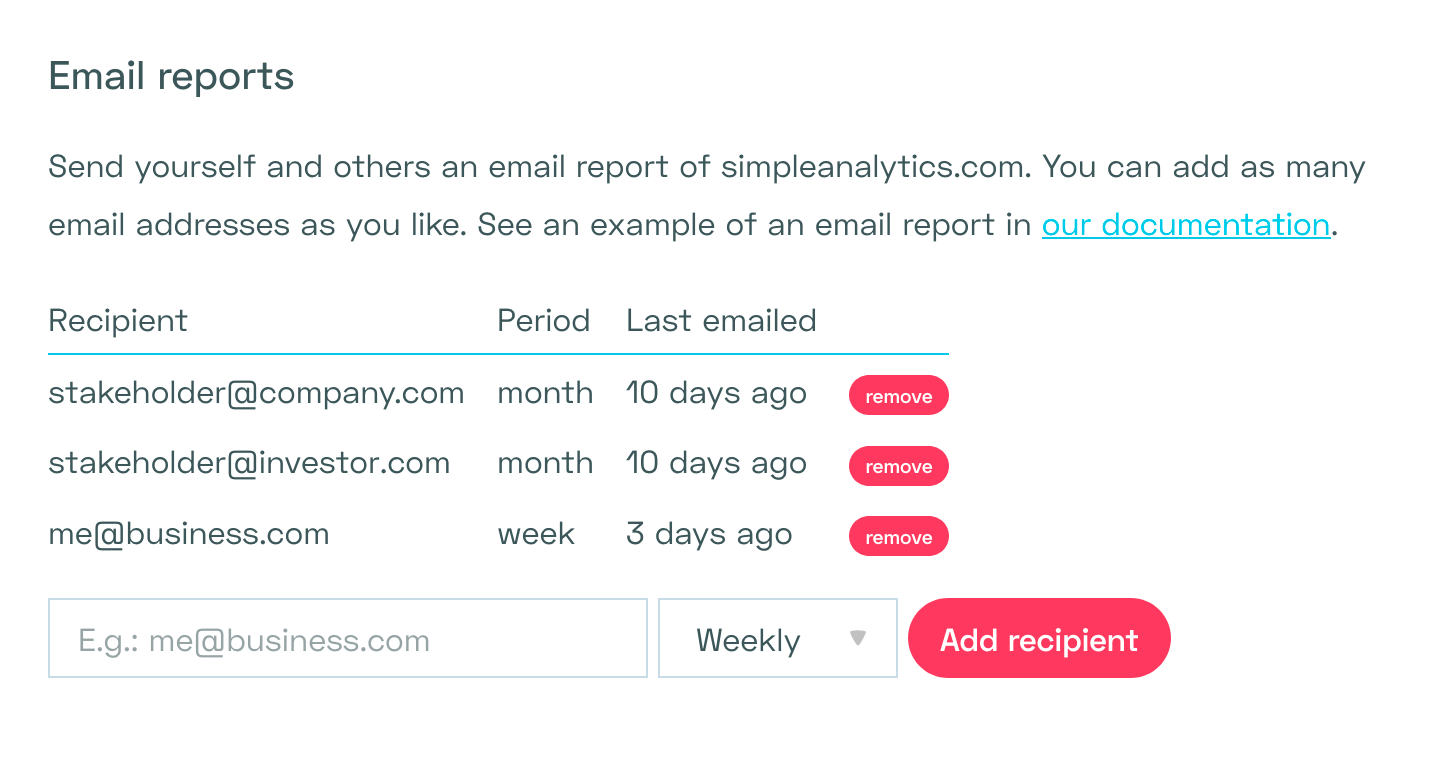
In your website settings, you can also add a report or choose between weekly and monthly reports. Look for the section that looks like this:
The email will look more or less like this:
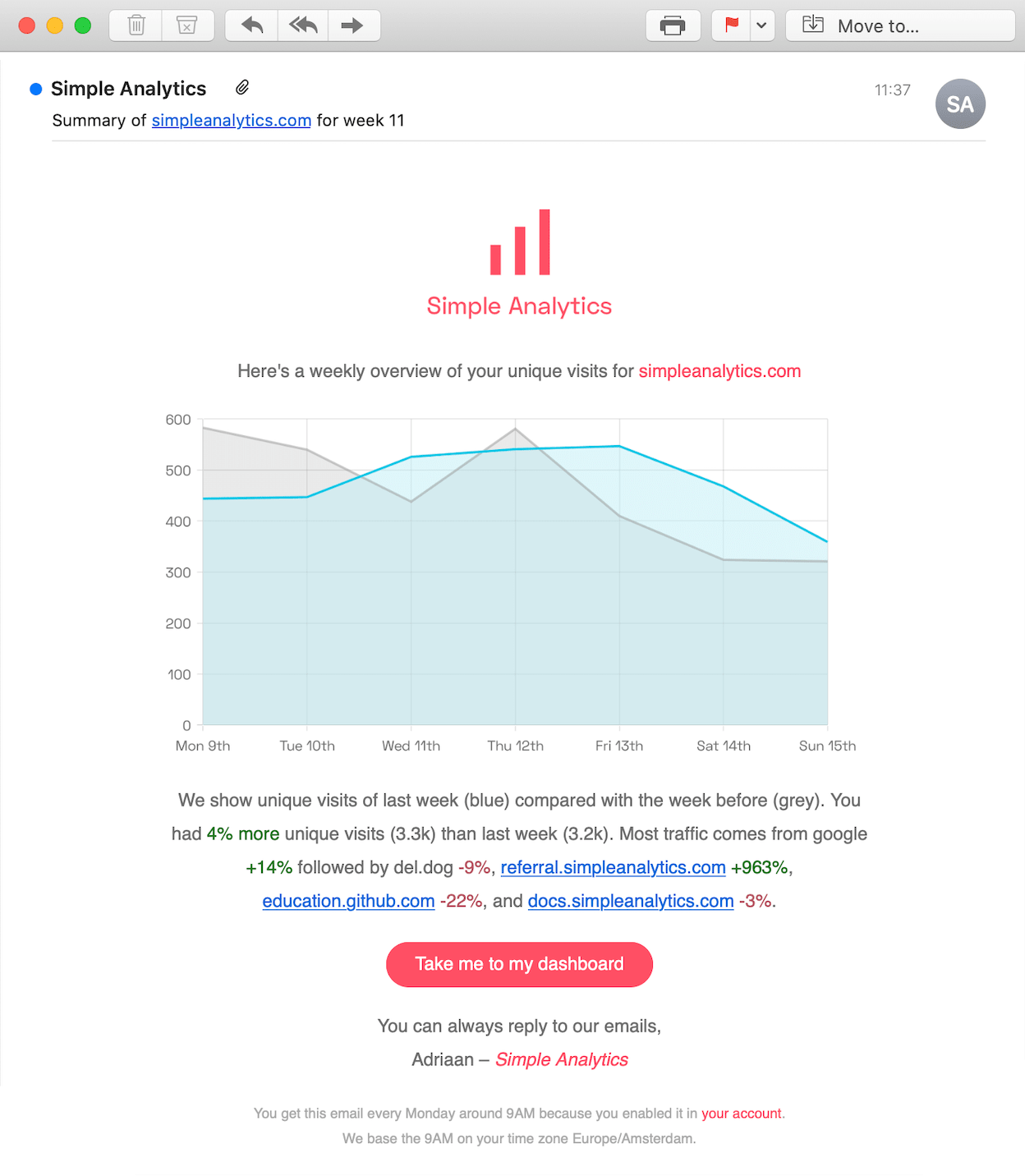
It includes the top 5 referrers and we compare them with the previous period. This gives you an indication of where your website is getting its traffic from, and how those numbers might have changed.
In the example above it shows that we got significantly more traffic from our referral website (referral.simpleanalytics.com +963%) than last week. Time for us to find out why. Thanks email report :)
We send this email at 9AM in your local time zone. You can change this time zone per website in your website settings.